Register Your Badge
Getting Started is Simple
Creating a Digi-Badge account is quick, secure and designed to be as straightforward as possible. Using your existing Blue Badge, you can register in just a few simple steps and gain access to all the features available through the Digi-Badge platform.
Whether you’re registering for the first time or replacing traditional parking methods with a digital solution, the process has been designed to be simple for users of all technical abilities.
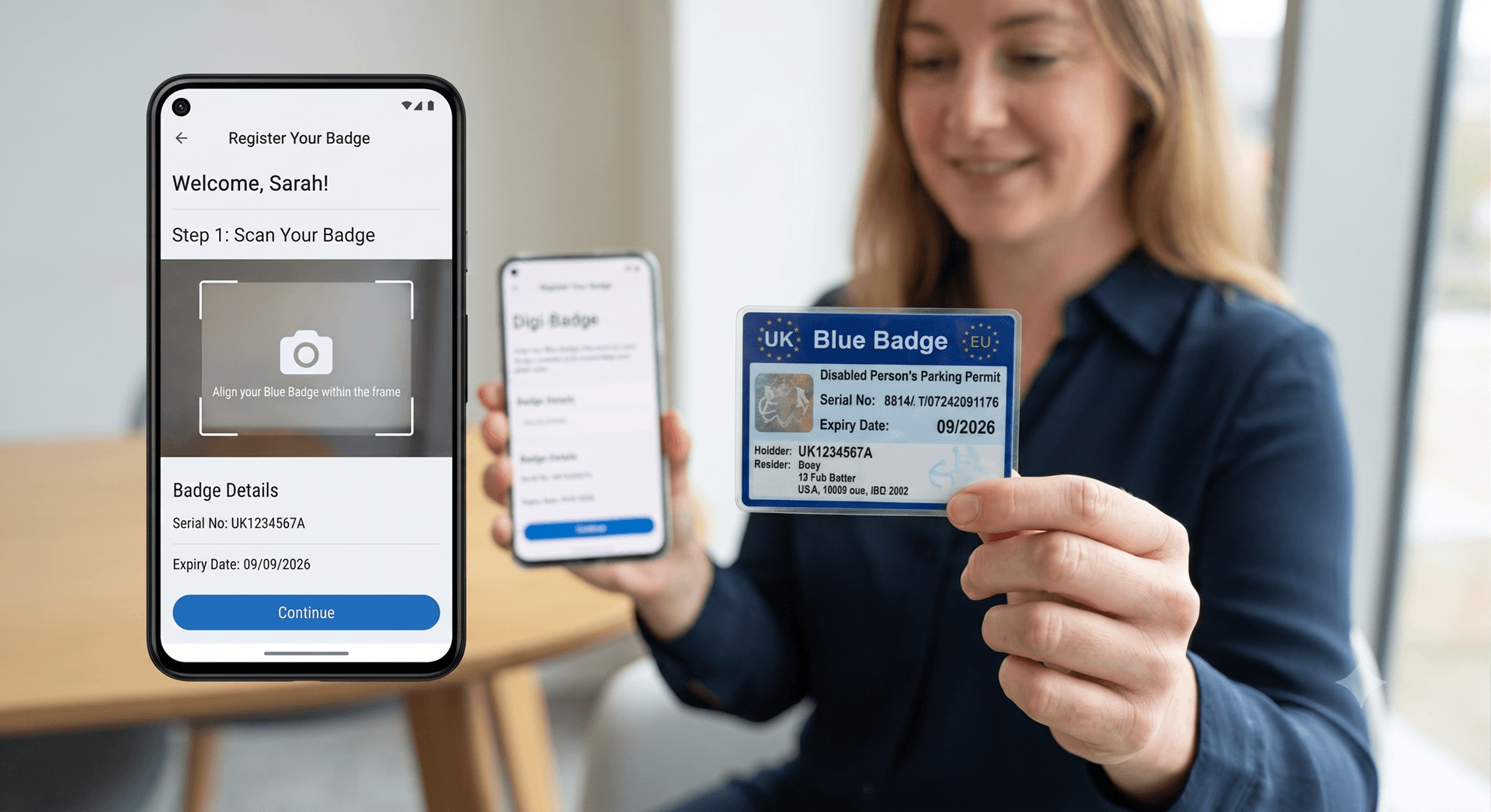
Register Using Your Existing Blue Badge
Enter Details
Input your current Blue Badge identifier numbers.
Verification
Automated secure verification of your status.
Complete
Your digital badge is ready for use immediately.
Registration begins by entering your Blue Badge details into the Digi Badge app. The platform securely verifies your information before guiding you through the remaining steps to create your account.
There is no complicated paperwork or lengthy registration process everything can be completed directly from your mobile device.
Why Join Digi-Badge?
Guided Step-by-Step Registration
The app guides users through each stage of the registration process, making it easy to provide the required information without stress or confusion.
Secure Identity Verification
Users may be asked to provide supporting information to help verify their Blue Badge, protecting the platform from misuse and ensuring benefits reach those who need them.
Ready to Start Parking
Once registration is complete, users can immediately begin managing vehicles, starting sessions, and viewing their digital history in real time.
Designed for Accessibility
Clear layouts, large controls and intuitive navigation ensure creating an account is simple for all, regardless of physical or digital capabilities.
Your Digital Parking Journey Starts Here
Registering your Blue Badge is the first step towards a smarter, more convenient parking experience. Join thousands of users today.
